

Configure and monitor the performance of Class B AIS components connected to your computer. Check out the parameters of the detected transceivers and view configuration data. Edit the content and save the profiles to change the functionality of the devices.
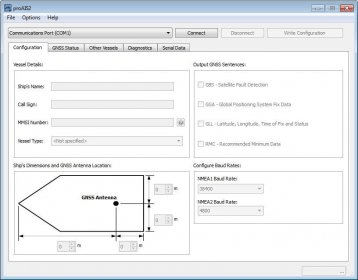
The proAIS2 application allows you to configure and monitor the performance of your Class B AIS transceiver.
The proAIS2 application has a number of pages with specific functions:
- The ‘Configuration’ page shows the current vessel information and AIS transceiver configuration. Vessel information and configuration can also be edited and saved to the AIS transceiver.
- The ‘GNSS Status’ page shows the status and signal strength information for the AIS internal GNSS receiver.
- The ‘Other vessels’ page shows a list of AIS targets currently being received by the AIS transceiver.
- The ‘Diagnostics’ page shows a range of information relating to operation of the AIS transceiver which may be useful during installation.
- The ‘Serial Data’ page shows real time data from the AIS transceiver in NMEA0183 format and provides functions to record this data.



Comments